
Supermarket Simulator Online Orders: Delivery Guide
Handle Supermarket Simulator online orders with packing tips, courier controls, hiring levels, and settings that keep deliveries and your store on track.
Jump to

How to Pack and Deliver Customer Orders
Supermarket Simulator online orders put you in charge of getting groceries from your shelves to a customer's doorstep. You need to prepare each package while keeping checkout and restocking under control. Patch 1.7.3, released October 27, 2026, adds an Online Order Courier who can handle the delivery trip after you pack the order.
The basic delivery routine is straightforward:
- Read the customer's order. Check the requested products and quantities before collecting anything.
- Pack the groceries. Gather the requested items and place them in the order bag.
- Close and tag the package. Keep track of which customer the bag belongs to, especially when several orders are waiting.
- Find the recipient. Use the mini-map to locate the customer for that order.
- Complete the handoff. Deliver the package to the matching customer.
If someone rejects the delivery, check the recipient before trying again. With multiple orders active, heading toward a nearby customer can put you at the wrong doorstep.
Your supermarket keeps operating while you are away. Before leaving on a delivery run, make sure a cashier is serving customers so checkout can continue.
Official page: Supermarket Simulator (supermarketsimulator.com)
Hire and Dispatch an Online Order Courier
The Online Order Courier appears in the Hiring tab. In Patch 1.7.3, the first courier becomes available at store level 18, and the second at level 24. You can employ up to two couriers.

Hiring handles the travel portion of fulfillment. You still need to prepare the groceries and hand over each package.
Load the Scooter and Send the Courier
Each courier can carry up to three orders in the scooter's trunk. With keyboard and mouse controls:
- Pack an order and carry the completed bag to the courier.
- Highlight the courier and press the left mouse button to hand it over.
- Load additional prepared orders if you want to send several together.
- Press E when you are ready to dispatch the courier.
The courier delivers the loaded orders and returns afterward. Leaving bags nearby does not load them, and handing over a package does not automatically send the courier away. Finish both interactions before returning to store work.
Check the order timer before waiting for another package to fill the scooter. Send a smaller load when a waiting order needs to leave; three bags are the carrying limit, not a requirement for departure.
Budget for the Daily Wage
A courier costs $120 per day in this build. Compare that expense with your delivery income and the store work you can complete while the courier is traveling.
Start with one courier and watch whether prepared orders regularly accumulate while they are away. Hire the second when you need overlapping delivery trips rather than simply because the level requirement is met.
Turn Online Orders On or Off
Patch 1.6.0 added separate Online Orders and Wholesale Orders toggles to the Settings menu. You can disable customer deliveries without also disabling wholesale offers.

If online orders have stopped arriving, check that their toggle is enabled before changing your staffing. Hiring a courier does not turn the feature back on.
In multiplayer, the host's settings apply to the entire session. Have the host check the toggle when your group wants to resume deliveries.
Turn online orders off when you want to concentrate on rearranging the store, handling inventory, or serving walk-in customers.
Keep Delivery Work From Crowding Out Restocking
Packing orders still takes your attention, even with a courier outside. Keep the shelves and storage room organized so you can find requested products without searching the entire store.

Use the product screen's stock information to review shortages, and replenish inventory before getting absorbed in deliveries. A courier can remove the travel task, but packing remains your responsibility.
In co-op, split the work explicitly: assign someone to prepare and hand over orders while another player covers checkout or restocking. Before sending anyone out on a manual delivery, check that the remaining team has those store duties covered.
Continue exploring

Supermarket Simulator Beginner Guide: Start Strong
Use this Supermarket Simulator beginner guide to manage stock, set prices, hire staff, and expand without draining the cash you need to keep shelves full.
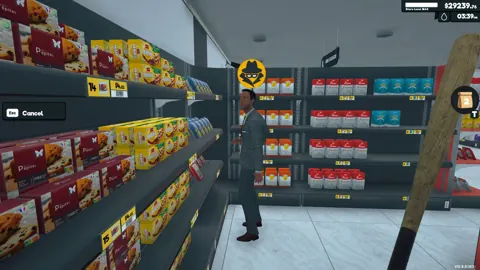
Supermarket Simulator Tips and Tricks for Beginners
Supermarket Simulator tips and tricks to manage stock, set prices, hire staff, use couriers, and grow your store without draining your cash. Start smarter.
Join the community
Official channels for news, updates and player help: